
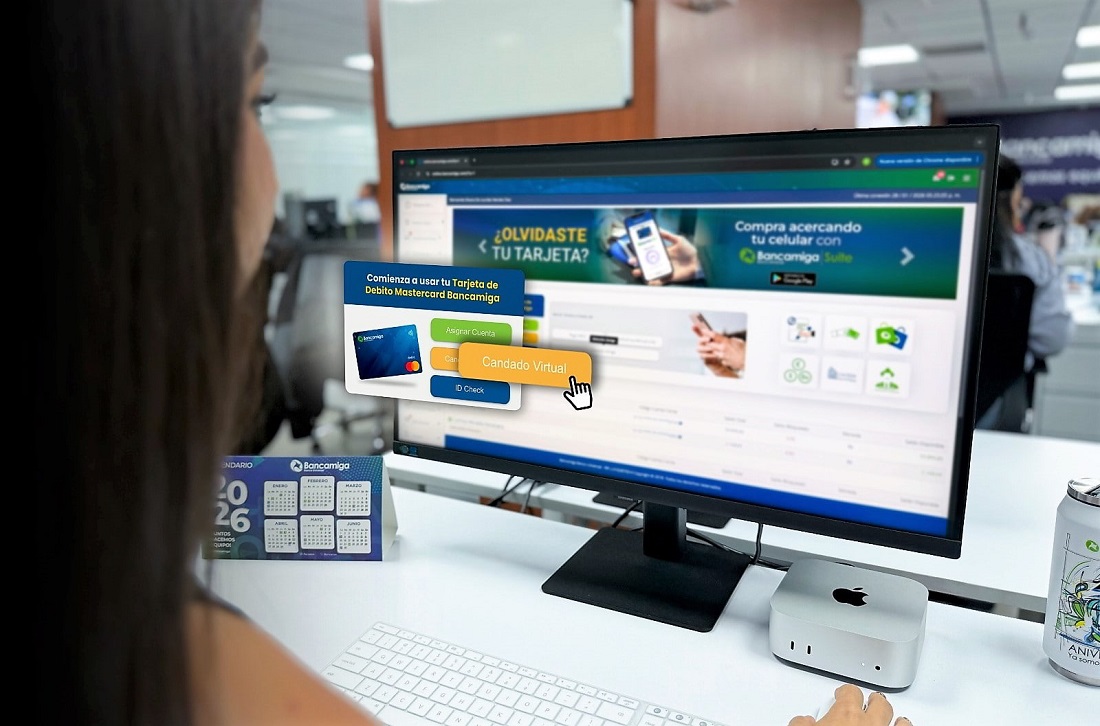
Bancamiga prioritizes prevention and encourages individual caution
Adopting initiatives and mechanisms to protect clients, along with individual caution, is fundamental to creating safe and reliable ecosystems
In its effort to offer clients solutions that minimize risk and strengthen its platforms, Bancamiga is advancing initiatives to create a safe and reliable environment, with a constant emphasis on awareness and individual caution.
Protect yourself from fraud!
Even with the adoption of cutting-edge technologies to safeguard the interests of clients and the bank, effective security requires active collaboration, where clients and the financial institution work hand in hand.
Direct Access, Virtual Lock, and ID Check are three of the most recent initiatives implemented by Bancamiga to enhance security.
With Direct Access, Bancamiga customers have an icon pinned to their desktop and taskbar, mitigating the risk of accessing pages with malicious links.
Installing Direct Access is very simple: log in to Bancamiga Online (www.bancamiga.com), enter your credentials and dynamic password. A pop-up window will appear; click “Install” and confirm. The shortcut will automatically be created on your desktop, with the option to also add it to the taskbar.
Virtual Lock is another tool that increases security by temporarily blocking the use of card data for online purchases, preventing unauthorized access. It is activated through Bancamiga Online or Bancamiga Suite before a transaction and deactivated upon completion.
Another initiative promoted by Bancamiga is ID Check, an extra layer of security with codes generated by the app for online purchases.
Bancamiga warns: Beware of fake websites!
Through informational campaigns, Bancamiga constantly promotes recommendations that emphasize proactive prevention and the use of its security tools.
Among its frequent tips are the following:
- Type www.bancamiga.com directly into your browser.
- Avoid clicking on links in emails, SMS messages, or search engines to avoid falling for fake websites.
- Do not reply to or provide confidential information (username, password, CVV) via email, WhatsApp, or phone calls. Bancamiga never requests this information through these channels.
- Keep the Virtual Lock closed when you are not making online purchases.
- Activate biometric authentication (fingerprint or face) and 2FA in the app for extra protection.
- Download apps only from official stores (Google Play/App Store).
- Check your account activity regularly.
- Use strong passwords (uppercase letters, lowercase letters, numbers, symbols) and change them regularly. Do not reuse the same password on multiple sites.
For any questions, please visit www.bancamiga.com, call 0500TUBANCA (0500-8822622) or 0501TUBANCA (0501-8822622), or follow us on social media: @bancamiga.
Information provided by Bancamiga Banco Universal
Follow our news on Google! For current, interesting, and accurate information, click here to see all the content on Bitfinance.news. You can also find us on X/Twitter and Instagram
